Corral: one fleet, many hypervisors

My VMs have escaped the cluster.
Some are local QEMU machines on a laptop. Some live in KubeVirt clusters. One Incus server is too useful to replace. One libvirt host answers over SSH. Sometimes a second Corral operates inside Kubernetes, because the local machine has no route to the Kubernetes API.
Corral now treats all of them as one fleet.
A context is a destination, not a global side effect
The model is deliberately close to kubectx, but it does not mutate
kubectl, Incus, or libvirt's global configuration:
corral context add laptop --backend qemu
corral context add homelab --backend kubevirt --context homelab-admin
corral context add lab-incus --backend incus --context lab
corral context add big-iron --backend libvirt \
  --context qemu+ssh://admin@hypervisor/system

corral context use homelab
corral list
The selected context is the default destination for an unqualified create. It
does not make the other machines disappear. corral list, the TUI, and the
web dashboard continue to show the full fleet. Scripts can stay unambiguous with
--backend and --context.
Incus and libvirt authentication also remain boring, which is a feature.
Corral uses the trust and credentials of an existing Incus remote. A libvirt
qemu+ssh URI uses OpenSSH, including your agent, keys, host verification, and
SSH config. There is no second password database to synchronize.
The TUI became a command deck
corral with no arguments opens the terminal interface. It can fuzzy-search every
canonical identity, cycle contexts with Tab, show backend capabilities, and
run scoped Doctor checks. Unsupported actions do not tempt you and then fail;
they are absent from that instance's action list.
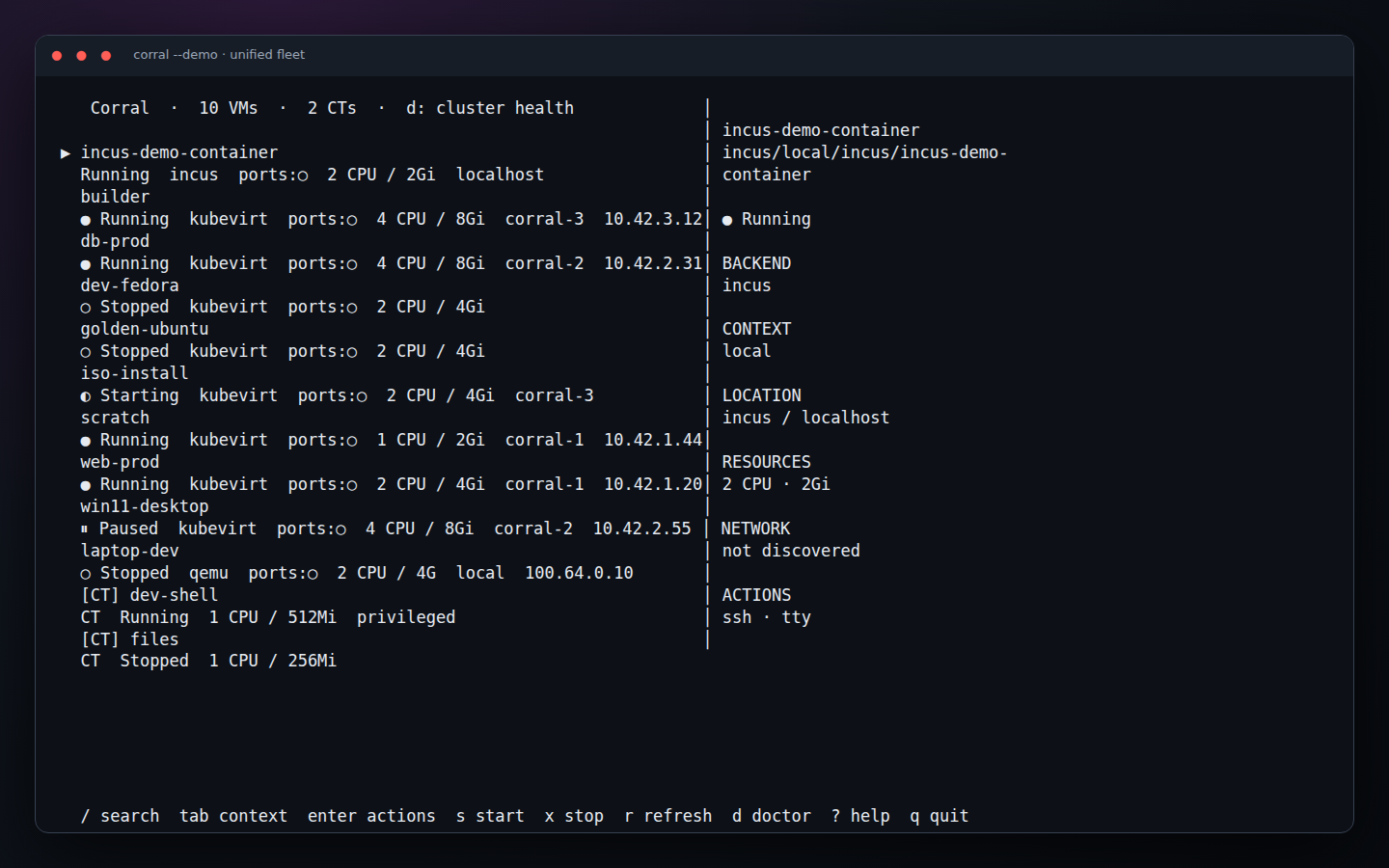
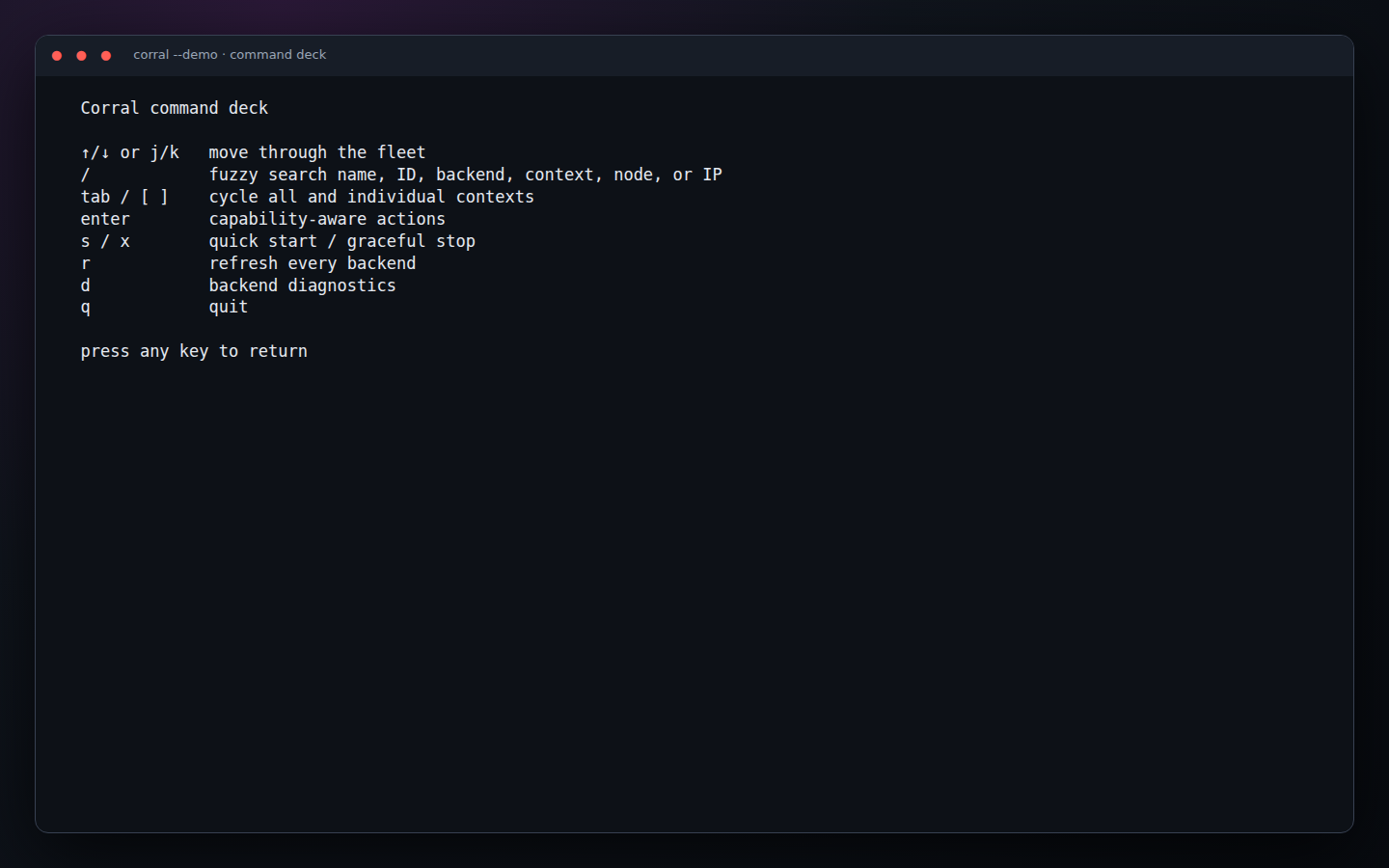
It is the interface I want while living in a terminal: s starts, x stops,
Enter opens the full action list, and ? shows the command deck.
The browser is the same fleet
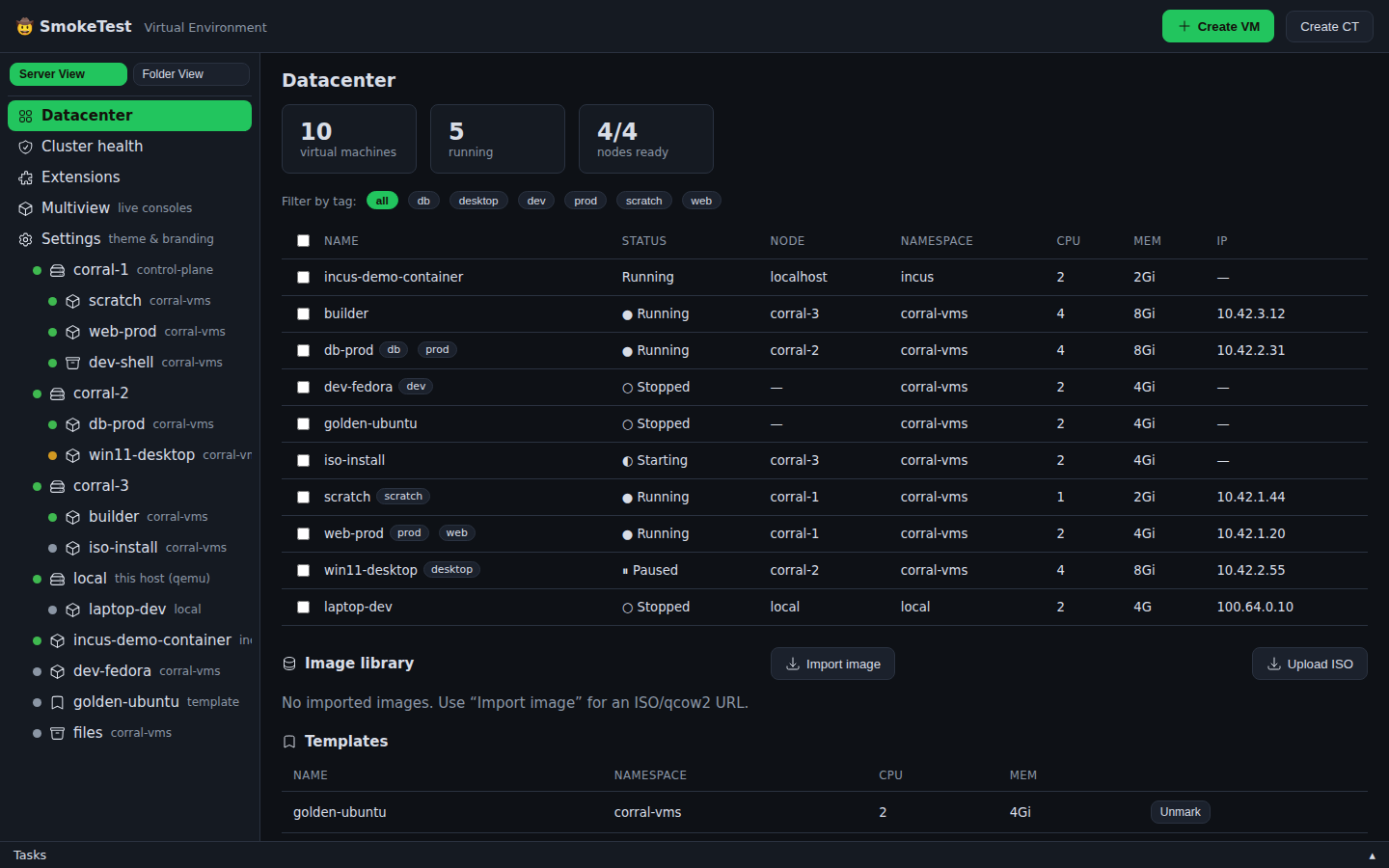
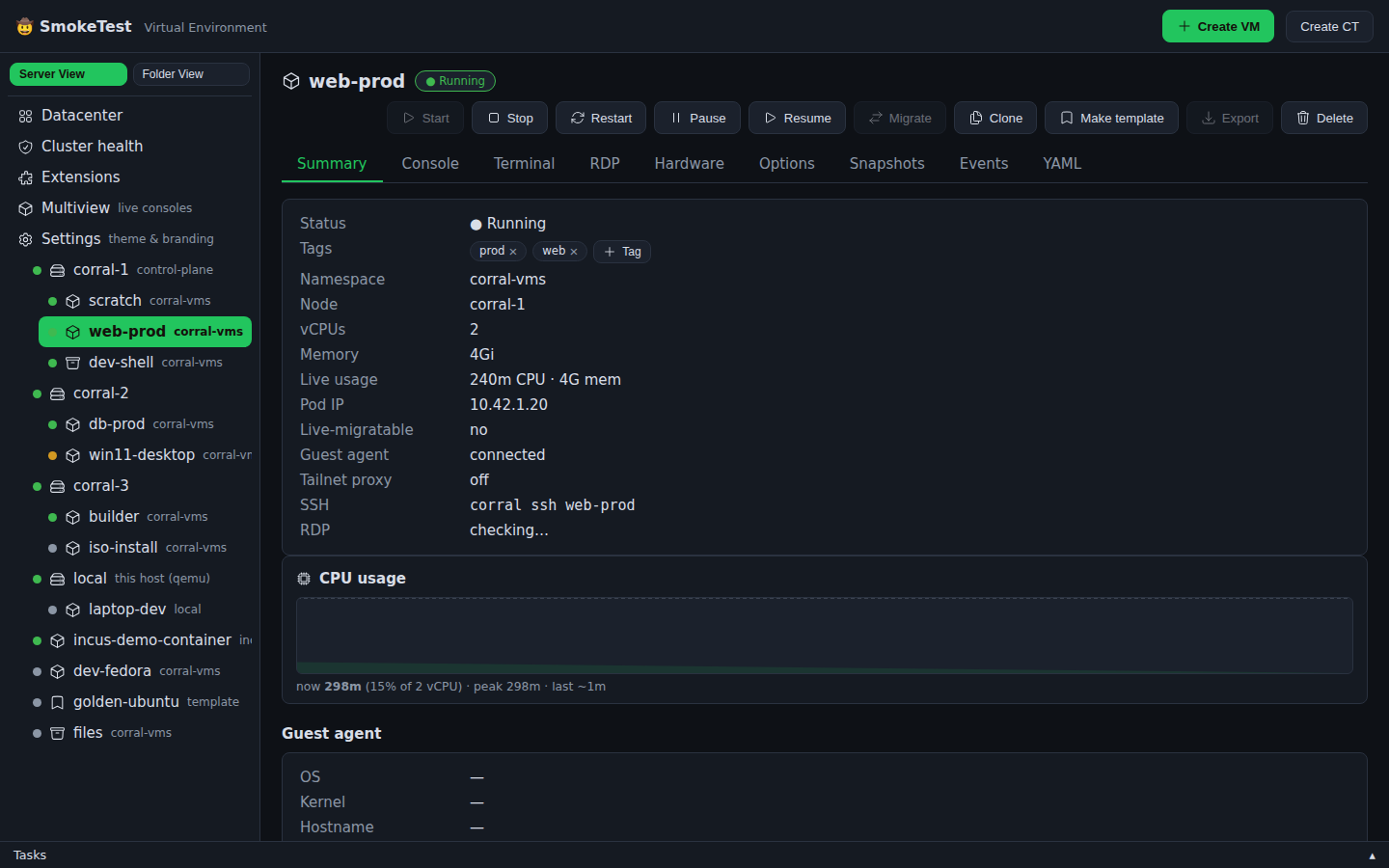
corral web is not a separate management product. It reads the same contexts,
registry, plugins, and peers as the CLI and TUI. The dashboard has bulk actions,
tag filters, create flows, health checks, extensions, live consoles, and the
backend-specific controls that each VM supports.
A local Corral can also federate an in-cluster one:
corral peer add cluster https://corral.cluster.example --token "$TOKEN"
Guest access is direct-first. If the laptop can reach a VM over Tailscale, an
ordinary ingress, or another private route, traffic does not hairpin through
two Corral servers. The Corral-to-Corral relay is the fallback for the awkward
networks where direct access is impossible. That applies to browser consoles
and CLI operations such as corral ssh.
Four backends, tested together
The built-in backends are now QEMU, KubeVirt, Incus, and libvirt. CI runs a real triple-backend scenario with QEMU, an Incus VM, and a libvirt domain, then checks both CLI aggregation and web inventory. KubeVirt has its own kind cluster browser/API suite.
The interfaces have a no-infrastructure demo too:
corral --demo
corral web --demo
scripts/capture-docs.mjs makes the screenshots in this post from those real
demo surfaces. Chromium drives the dashboard and tmux drives the
Bubble Tea application. Documentation images are now refreshable test output,
not a collection of mystery PNGs from somebody's laptop.
Start with the Corral walkthrough, then read the contexts and authentication guide or the complete command guide.